Motivations - Relational databases can hold only relational table data structures, and they cannot support big data well.
- Is there any other type of databases which can support more flexible data structures and big data?
- How to use MongoDB, one of the most popular NoSQL DBMSes, with Node.js?
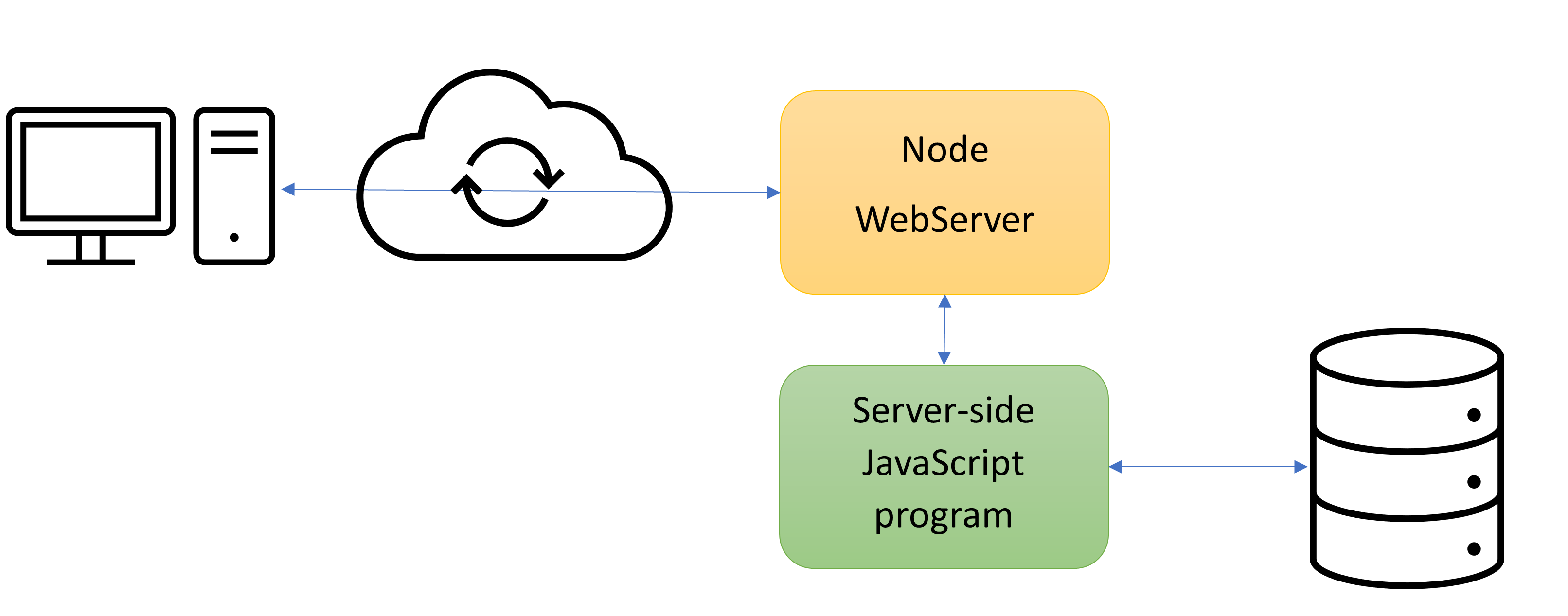
Learning outcomes - Analyze how MongoDB is different from relational database systems
- Explain the stucture of databases in MongoDB by comparing it to RDBMS
- How to connect to MongoDB in a shell and change the user's password
- How to use, i.e., CRUD (Create, Read, Update, Delete), MongoDB with Node.js?
- How to solve an example problem using MongoDB:
- In a chatting app,
- User namagement
- Data
- If you are interested in the system administration, how to install MongoDB and how to create users
What is MongoDB? - Read the first two paragraphs in MongoDB.
- Read all in NoSQL Database Explained and "Differences between SQL and NoSQL" in NoSQL vs. SQL Databases.
Read 'Document Database' in Introduction to MongoDB. - What is a record in MongoDB?
- What is a document in MongoDB?
- What is a collection in MongoDB?
- What is a database in MongoDB?
- What are the advantages of using MongoDB?
- You may watch MongoDB Tutorial 1 What is MongoDB?.
Read all in MongoDB Overview. - What is a record in MongoDB?
- What is a document in MongoDB?
a JS object (string) - What is a collection in MongoDB?
a JS object (string) of JS objects (strings) - What is a database in MongoDB?
- Comparision
RDBMS MongoDB Database Database Table Collection - JS object like syntax Row (record) Document (record) - JS object, i.e., JSON, like syntax Column Field Primary key Default key '_id' provided by MongoDB itself SQL JS like syntax
Read all in MongoDB Advantages. - What are the advantages of using MongoDB?
Read all in MongoDB Data Modeling. - Do you need to use multiple collections for a schema?
How to install MongoDB on Ubuntu? - Note that MongoDB is not a standalone dbms.
- Read all in Install MongoDB on Ubuntu.
- Currently version 4.2.14 on cs.tru.ca.
[You may skip this topic.] User administration - Why do you need this?
[You may skip this topic.] How to set a system-level user administrator? Read the followings in Enable Access Control to create the system user administrator, "root", right after the installation of MongoDB. - Overview
- User Administrator
- Procedure: 1 ~ 5
Read Procedures 6 ~ 7 in Enable Access Control to create additional users. - Starting mongod with the following authorization setting in
/etc/mongod.conf.security: authorization: enabled - To create additional users, Add Users and
Change Your Password and Custom Data.
Here is an example how to create a user and how the user changes his/her password.
$ mongo admin -u root -p
MaongoDB shell ...
Enter password:
> db.createRole(
   { role: "changeOwnPasswordCustomDataRole",
     privileges: [
        {
          resource: { db: "", collection: ""},
          actions: [ "changeOwnPassword", "changeOwnCustomData" ]
        }
     ],
     roles: []
   }
)
> exit
$ mongo admin -u root -p
MaongoDB shell ...
Enter password:
use COMP4620_test
> db.createUser(
    {
      user: "test",
      pwd: "test136",
      roles: [ "readWrite", { role: "changeOwnPasswordCustomDataRole", db: "admin" } ]
    }
)
> exit
$ mongo COMP4620_test -u test -p
MaongoDB shell ...
Enter password:
> db.runCommand(
    { updateUser: "test",
      pwd: "newpassword"
    }
)
- Starting mongod with the following authorization setting in
How to connect to MongoDB? - Your username for MongoDB is the same as your CS account name. Your initial password is your MongoDB username with '136'. Your database name is COMP4620_yourMongoDBusername.
- Here is an example how to connect.
$ mongo databasename -u username -p
$ mongo admin -u root -p
$ mongo COMP4620_test -u test -p
- [You may skip this topic.] User Management Methods.
How to use? - Make a connection
- CRUD operations
- Close the connection
How to connect to MongoDB using the mongo shell? - Your username for MongoDB is the same as your CS account name. Your initial password is yourMongoDBusername with '136'. Your database name is 'COMP4620_yourMongoDBusername'.
- Here is an example how to connect.
$ mongo databasename -u username -p
$ mongo COMP4620_yourMongoDBusername -u yourMongoDBusername -p
- Trial 0.1: Let's connect to cs.tru.ca and access to your MongoDB.
Try to execute the next shell commands.
How to exit from the MongoDB shell?
- help
- show dbs
- show collections
- show users
- db
- exit
How to create a collection and insert documents, and search documents? Read Getting Started from 'MongoDB Shell (mongo)'. - How to switch to a database?
- How to create a collection?
- How to insert a document into a collection?
Here is an example. Connect to MongoDB in cs.tru.ca with you account and try it. You may need to remember database > collection > document > field. db // List the current working database use mydb // Change the current working database; db represents the current working database help show collections // Show all the collections in db j = { name: 'mongo' } k = { x: 3, y: j.name } // j.name? db.testData.insertOne(j) // A collection, testData, will be created if it doest not exist db.testData.insertOne(j) // The same document again? db.testData.insertOne(k) db.testData.insertOne({course: "COMP4620"}) db.testData.find() show collections exit- Trial 1: Let's connect to cs.tru.ca and access to your MongoDB. Try the above shell commands except 'use ...' and see what happens.
- Can you insert the same document again?
- Don't you need a primary key in a collection? If so, what is used as a primary key in a collection?
- Which shell commands are used to query for specific documents?
- Can you list all the operations you can execute?
How to CRUD (create, read, update, and delete)? Read all in MongoDB CRUD Operations, and try all the examples. What method is used to query documents (select in SQL)?
db.collection.findOne(),db.collection.find()Syntax?
db.collection.find(...query criteria...)...modifier...List the three operations to modify data in a single collection.
Insert, delete, update documents.Syntax? db.collection.insertOne(...document...),.insertMany(...)db.collection.updateOne(...document...),.updateMany(...)db.collection.deleteOne(...document...),.deleteMany(...)- Comparision
RDBMS MongoDB insert insertOne(), inserMany() select findOne(), find() update updateOne(), updateMany() delete deleteOne(), deleteMany()
Read all in MongoDB CRUD Tutorials, and try all the examples. Create - Read all in Insert Documents How to insert a document of a username and his/her password into a collection for your Chatting application? db.Users.insertOne({username: '...', password: '...', full_name: '...', email: '...'})- Should there be a unique key in the above document?
Can you insert an array? Should the elements in an array be the same structure?
.insertMany([{...}, ...])
- Trial 2: Let's try all the examples of 'inventory' in the above link.
Read - Read all in Query Documents - What does
.find()return? - How
.find()and.findOne()are different? - List all the comparison, logical, element, and evaluation Query and Projection Operators.
- Can you compare SQL select to
.find()?
SELECT * FROM table Equality - How to find a document of a username and his/her password in a collection for your Chatting application? db.Users.findOne({username: '...', password: '...'})How to find all documents having the usernames joined in your Chatting application? db.Users.find({username: {$exists: true}})How to find all documents having the usernames starting with 'a'? db.Users.find({username: {$regex: /^a/}}) // Do you still remember Regular Expressions? // or db.Users.find({username: /^a/})How to find all the documents from the inventory collection, in which the quantity is greater than 20 or the prices is less than or equal to 29.99? db.inventory.find({$or: [{quantity: {$gt: 20}}, {price: {$lte: 29.99}}]})How to find all the documents from the inventory collection, in which the quantity is greater than 20 and the prices is less than or equal to 29.99? db.inventory.find({quantity: {$gt: 20}}, {price: {$lte: 29.99}}) // You can also use $and.How to sort the result set? Read Cursor Methods. db.inventory.find({quantity: {$gt: 20}}, {price: {$lte: 29.99}}).sort({name: 1}) // 1: ascending order; -1: descending order
- What does
- Trial 3: Let's try all the examples of 'inventory' in the above link.
Update - Read all in Update Documents What if any document with that query does not exist?
Do nothing by defaultHow can you change a user's password for your Chatting application? db.Users.updateMany({username: '...'}, {$set: {password: '...'}})How can you rename a field name in a document?
Replace the document?$renameupdate operatorHow can you delete a field?
The$unsetoperator
- Trial 4: Let's try all the examples of 'inventory' in the above link.
Delete - Read all in Delete Documents How can you delete a user name and her/his password for your Chatting application? db.Users.deleteMany({username: '...'})- Can you delete all documents in a collection?
Can you drop a collection? db.collection.drop()
- Can you delete all collections in a database?
Can you drop a database? db.dropDatabase()
- Trial 5: Let's try all the examples of 'inventory' in the above link.
- Here is a link for all the mongo shell methods - mongo Shell Methods.
- Here is another good reference for CRUD - tutorialpoint - MongoDB Tutorial.
How to use MongoDB with Node.js? How to solve an example problem: User management in a chatting app? Read 'A Basic Introduction to Mongo DB' in A Basic Introduction to Mongo DB. - There are some Node.js modules to access MongoDB. They are called MongoDB drivers.
- Which driver is used in the above link?
Read 'Mongo DB data types' in A Basic Introduction to MongoDB. - What data types are supported?
Read 'Getting that connection to the database' in A Basic Introduction to MongoDB. - If necessary, install the 'mongodb' module.
Here is an example that uses callback functions. const MongoClient = require('mongodb').MongoClient; // mongodb://username:password@server[:port]/databasename MongoClient.connect('mongodb://test:test136@127.0.0.1:27017/COMP4620_test', function(err, conn) { // What is '127.0.0.1'? Any security issue? if(err) throw err; console.log("MongoDB connected"); // What if conn.close() is here? conn.close(); });- The above example used to connect MongoDB correctly. Now it does not. Probably it is because the latest "mongodb' module is installed and used. Let's use the async/await version instead. Read Connection Guide.
Here is an example that uses async/await. (async function() { try { const MongoClient = require('mongodb').MongoClient; const conn = await MongoClient.connect('mongodb://test:test136@127.0.0.1:27017/COMP4620_test'); console.log("MongoDB connected"); conn.close(); } catch(err) { console.log(err); } })(); // self invocation of an anonymous function- Trial 6: Let's try the above code with your MongoDB account. You can save the code in userManagement.js, and run the program on the terminal.
- Trial 7: Can you convert the code and save it userManagement.sjs, so that
the program can be run with your Node web server?
(You may try with http://198.162.21.132:8080/~mlee/comp4620/Winter2023/4.%20back_end_technologies/userManagement.sjs)
const ??? = ??? function(_GET, _POST, callback)  {  // This function should pass a string message back through callback.
    try {
        const MongoClient = require('mongodb').MongoClient;
        // mongodb://username:password@127.0.0.1[:port]/databasename
        const conn = ??? MongoClient.connect("mongodb://????@127.0.0.1:27017/???");
        ???("MongoDB connected using async/await");
        conn.close();
    }
    catch(e) {
        callback('Connection error');
    }
}

????
Read 'Mongo DB and Collections' in Mongo DB and Collections and Node.js MongoDB Create Collection. - How to create a collection? Which method is used?
- How to use a collection?
(async function()
{
    try {
        const MongoClient = require('mongodb').MongoClient;
        // connection stub
        const conn = await MongoClient.connect(????);
        console.log("MongoDB connected");
        // db stub
        let db = conn.db();
        // If the "testData" collection does not exist, let's create it.
        let list = await db.listCollections().toArray();
        let exist = false;
        for (let i = 0; i < list.length; i++) {
            if (list[i].name == "testData") {
                exist = true;
                break;
            }
        }
        if (!exist)
            await db.createCollection("testData");
        // collectin stub
        let collection = db.collection("testData");
        // find all documents in the collection
        let lists = await collection.find({}).toArray();  // or just find()
        console.log(lists);
        // close the connection to MongoDB
        conn.close();
    }
    catch(err) {
        console.log(err);
    }
})();  // self invocation of an anonymous function
Read 'And then there was CRUD' in And then there was CRUD. What are the four basic operations? collection.insert(..., {w:1}, function(err, result) { ... })collection.findOne(..., function(err, item) { ... });collection.find(...).toArray(function(err, items) { ... });collection.update(..., {$set:...}, {w:1}, function(err, result) { ... });collection.remove(..., {w:1}, function(err, result) { ... });
- The MongoDB driver does NOT support synchronous operations, not like the above link explains.
- How to find multiple documents?
- What if you have a big find result set?
Create - Node.js MongoDB Insert How to register a new user into 'Users'?
What kind of document you want to insert? This is an important question.(async function() { try { const MongoClient = require('mongodb').MongoClient; const conn = await MongoClient.connect(????); const db = conn.db(); let collection = db.collection("Users"); // You need to make sure this collection exists. // See the previous example how to create a collection if necessary. await collection.insertOne({usermame:"John", password:"secretpassword"}); let lists = await collection.find({username: {$exists:true}}).toArray(); // for testing console.log(lists); // for testing conn.close(); } catch(err) { console.log(err); } })(); // self invocation of an anonymous function // Another example that uses a function const registerUser = function(u, p, callback) // You need to include the next code with the connection to MongoDB. { try { ???? let collection = db.collection("Users"); // Where is db defined? // You need to make sure this collection exists. ??? ???.???(????); ???? conn.close(); } error(e) { callback(false); }); } registerUser("john", "topoftheworld", ???? { console.log(result); });How to include the connection part into the above code? Trial 8: Can you write a JS file that includes the above code that uses a function, and test it?
Read - Node.js MongoDB Find, Node.js MongoDB Query, Node.js MongoDB Sort How to check if a user exists in the collection, 'Users'? (async function() { try { const MongoClient = require('mongodb').MongoClient; const conn = await MongoClient.connect(????); const db = conn.db(); let collection = db.collection("Users"); // You need to make sure this collection exists. let list = await collection.findOne({username: "John"}); console.log(list); conn.close(); } catch(err) { console.log(err); } })(); // self invocation of an anonymous function // Another example that uses a function const usernameExists = ??? function(u, callback) // You need to include the next code with the connection to MongoDB. { ???? // You need to make sure the "Users" collection exists. let list = ??? ????(????); if (????) callback(true); else callback(false); close(conn); } var username = 'tom'; usernameExists(???, function(result) { console.log(result); }); var username = 'john'; usernameExists(???, function(result) { console.log(result); });How to check if a document of username and password exists in the collection, 'Users'? const validateUsernamePassword = ??? function(u, p, callback) { ???? let list = ??? ????(????); // findOne() or find().toArray() if (????) callback(true); else callback(false); close(conn); } var username = 'tom'; var password = 'topsecretpassword'; validateUsernamePassword(???, ???, function(result) { console.log(result); }); var username = 'john'; var password = 'topoftheworld'; validateUsernamePassword(???, ???, function(result) { console.log(result); });Trial 9: Can you write a JS file that includes the above code and test it?
Delete - Node.js MongoDB Delete, Node.js MongoDB Drop, How to delete all documents that have a given username from the collection, 'Users'? const deleteUser = ??? (u, callback) => // You need to include the next code with the connection to MongoDB. { ???? ???? // deleteOne() or deleteMany() let list = ??? ????(????); // findOne() for testing if (????) callback(true); else callback(false); close(conn); } var username = 'tom'; deleteUser(???, function(result) { console.log(result); });Trial 10: Can you write a JS file that includes the above code and test it?
- Update? Read all in Node.js MongoDB Delete.
How to solve an example problem: User management in a chatting app? Chatting app: How to do 'Join'? Chatting app: How to do 'SignIn'? Chatting app: How to do 'Delete'? - Here is an example. TRU Chatting uses chat_controller.sjs and chat_model.js. Try it to see how it works.
chat_model.js (Note that the chat server needs to keep the connection to MongoDB for a long time.)
How to keep one connection forregisterUser(),usernameExists(),validateUsernamePassword(), anddeleteUser()?
An idea that we use is similar to$(document).ready(function() { ... });./* In chat_controller.sjs program, how to use chat_model.js? // If Model were revised, the cached Model module may need to be deleted. // delete require.cache[require.resolve("./chat_model.js")]; var model = require("./chat_model.js"); const proceed = function(_GET, _POST, callback) { ... model.ready(function(result) { if (result) model.usernameExists(username, function(result) { ... }); }); model.ready(function(result) { if (result) model.validateUsernamePassword(username, password, function(result) { ... }); }); ... model.close(); // It is required. ... } ... */ /* * chat_model.js */ // All functions pass back a Boolean value - true or false. let MongoClient; let conn; // connection stub let db; // db stub let collection; // collection stub let connected = false; // flag to see if a connection is made const ready = async function(callback) { if (???) callback(true); else { try { // connection MongoClient = require("mongodb").MongoClient; conn = await MongoClient.connect(????); // db stub db = ????; // If the "Users" collection does not exist, let's create it. let list = await db.listCollections().toArray(); let exist = false; for (let i = 0; i < list.length; i++) { if (list[i].name == "Users") { exist = true; break; } } if (!exist) await db.createCollection("Users"); // collection stub collection = db.collection("Users"); // return ... through the callback function ???? callback(???); } catch(e) { connected = false; callback(false); } } } const close = function() { if (???) { connected = ???; conn.close(); } } const usernameExists = ??? function(u, callback) { try { let list = ???? if (????) callback(true); else callback(false); } catch(e) { callback(false); } } ???? exports.ready = ready; exports.close = close; exports.usernameExists = usernameExists; exports.validateUsernamePassword = validateUsernamePassword; exports.registerUser = registerUser; exports.deleteUser = deleteUser;- For the user management, TRU Chatting uses chat_controller.sjs and chat_model.js. Try it to see how the above code works.
Don't you need to encrypt password before you save it in a db? - Read all in Encrypt and decrypt content with Node.js.
- Meaning of encryption, decryption, hashing, block cipher, operation mode, initial vector, ...?
- Read all in SHA 512 Hashs with Node.js.
- Can you use the user's password as the password to encrypt or hash the user's password?
Here is an example of using HMAC (a keyed-hash message authentication code). var crypto = require('crypto'); // create hmac var hash = crypto.createHmac('sha512', 'topsecretkey'); // sha1, md5, sha256, sha512, ... // It requires a key. // Is it a good idea for your chatting program? hash.update('Good morning, Dave!'); hash.update('Good morning, HAL!'); var value = hash.digest('hex'); // hex, binary, or base64 // print result console.log(value);Do you have to use a key to hash a user's password? Here is an example of using hash, not hmac. var crypto = require('crypto'); // create hash var hash = crypto.createHash('sha512'); // sha1, md5, sha256, sha512, ... // No key is required. // How to use this for your chatting program? hash.update('Good morning, Dave!'); hash.update('Good morning, HAL!'); var value = hash.digest('hex'); // hex, binary, or base64 // print result console.log(value);- Can you now store the user's encrypted (i.e., hashed) password into a database?
- Here is the full documentation for the Node.js crypto module - Node.js v0.10 Manual & Documentation.
How to close the db? db.close(); // When do you close?
References